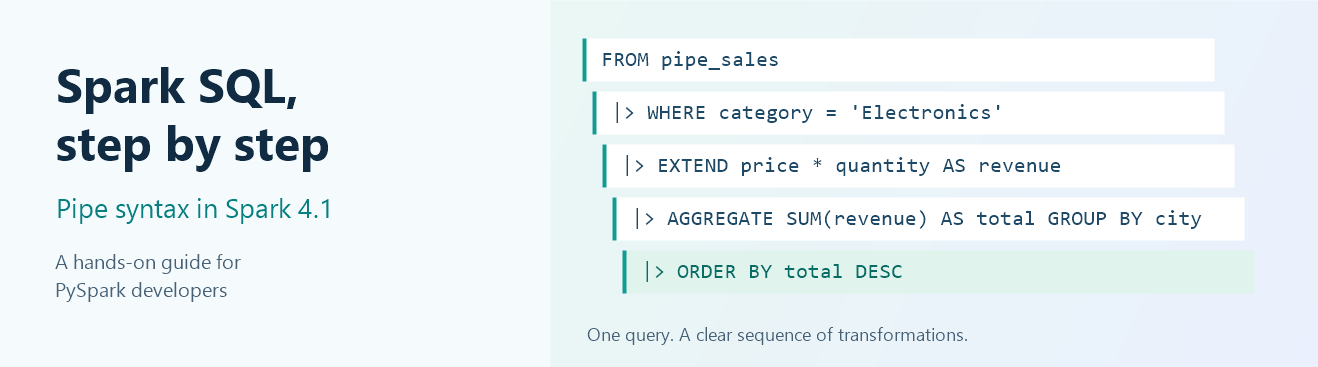
Spark SQL That Reads Like PySpark
In Microsoft Fabric Runtime 2.0, we bring Spark SQL pipe syntax to developers working with Apache Spark 4.1. It lets you write SQL as a sequence of transformations: start with data, filter it, add a column, aggregate, and keep going.
If you already think in PySpark DataFrame chains, this should feel familiar. Instead of working backward from a final SELECT or adding another subquery every time you need a new stage, you can write each step in the order you want to reason about it.
The benefit is easier query composition and debugging, not an automatic performance boost. Pipe SQL still uses Spark’s query planner and execution engine.
In this tutorial, we will use eight sales rows to go from a simple filter to a regional revenue analysis. You will see conventional Spark SQL and PySpark alongside pipe SQL, inspect expected results, and run an equivalence check.
Pipe syntax was introduced in Apache Spark 4.0 and is available in Spark 4.1, the Spark version used by Fabric Runtime 2.0.
Run these examples in a Fabric Spark notebook, not the Lakehouse SQL analytics endpoint or a Warehouse T-SQL editor. No pipe-specific configuration flag is needed.
What you will learn
- Set up a self-contained notebook.
- Think in transformations.
- Filter, project, and sort.
- Add, replace, and remove columns.
- Aggregate and filter groups.
- Join and rank results.
- Combine pipes with existing SQL and PySpark.
- Try the translation exercise.
Then explore the optional validation and execution plans, additional syntax tips, and troubleshooting guide.
Download and import the companion notebook
Download the Pipe Syntax tutorial notebook (.ipynb)
The notebook contains the article’s executable examples in order, explanations, expected-result tables, and validation cells. It has no saved execution outputs, credentials, workspace bindings, or attached Lakehouse. You can also follow the tutorial by copying the cells below.
- Download the notebook. If your browser displays JSON instead, save the linked file with the
.ipynbextension, not.txt. - In a development Fabric workspace, use the workspace toolbar’s Import notebook option and select the downloaded file. Fabric imports standard Jupyter
.ipynbfiles as notebook items. - Open the imported notebook and confirm its default language is PySpark. SQL cells use
%%sqlon their first line. - Select a published Runtime 2.0 Environment, as described below. No Lakehouse attachment or additional packages are needed.
- Review the code, start a fresh session, and run cells from top to bottom. Run all also runs the optional checks. The temporary views remain available for experimentation until the session ends.
- Compare the outputs with the expected tables. The optional validation cell should print
Passed: schemas, row multiplicities, and expected values match.Stop on any error rather than skipping ahead.
Starting a Spark session consumes Fabric capacity. When finished, save your notebook and stop the session. To record a reproducible result, retain the printed Spark/Python versions and UTC timestamp, note the selected Environment, release channel and Native Execution Engine setting, and repeat Run all after restarting the session.
1. Set up a Runtime 2.0 notebook
Use a notebook attached to a Fabric Environment configured for Runtime 2.0. Save and publish the Environment changes, select it in the notebook, and start a new session if an older session is running. Alternatively, use the workspace Runtime 2.0 default if your notebook has no Environment override.
Run this in a PySpark cell:
import platform
from datetime import datetime, timezone

print("Run started (UTC):", datetime.now(timezone.utc).isoformat())
print(f"Spark version: {spark.version}")
print("Python version:", platform.python_version())
assert tuple(map(int, spark.version.split(".")[:2])) == (4, 1), (
    "This tutorial targets Spark 4.1. Select Fabric Runtime 2.0 "
    "and start a new notebook session."
)
The examples below use session-scoped temporary views. For the purpose of the examples in this blog, no Lakehouse attachment, external data, package installation, or persistent table creation is required. You only need permission to run the notebook’s Spark session.
Create the sales data
Copy each block into its own notebook cell. SQL blocks start with %%sql, so you can paste them directly into cells in a PySpark notebook. Keep %%sql on the first line; do not put it inside a spark.sql() string.
%%sql
CREATE OR REPLACE TEMP VIEW pipe_sales AS
SELECT
    order_id,
    city,
    product,
    category,
    CAST(price AS DECIMAL(10, 2)) AS price,
    quantity
FROM VALUES
    (1, 'Seattle',  'Laptop',  'Electronics', 1200, 2),
    (2, 'Seattle',  'Monitor', 'Electronics',  400, 3),
    (3, 'New York', 'Laptop',  'Electronics', 1300, 4),
    (4, 'New York', 'Desk',    'Furniture',    500, 2),
    (5, 'Chicago',  'Chair',   'Furniture',    250, 6),
    (6, 'Chicago',  'Laptop',  'Electronics', 1250, 1),
    (7, 'Austin',   'Desk',    'Furniture',    550, 5),
    (8, 'Austin',   'Monitor', 'Electronics',  450, 4)
AS source(order_id, city, product, category, price, quantity);
Each row is one order line. Revenue means price * quantity; we are not modeling tax, discounts, returns, or currency conversion. We use a decimal price to avoid floating-point rounding surprises in monetary examples.
Create a small lookup view in the next cell:
%%sql
CREATE OR REPLACE TEMP VIEW pipe_city_info AS
SELECT *
FROM VALUES
    ('Seattle',  'West'),
    ('New York', 'East'),
    ('Chicago',  'Central'),
    ('Austin',   'South')
AS source(city, region);
These temporary views are scoped to your session. Rerunning setup replaces only these two views.
Check the input:
%%sql
SELECT *
FROM pipe_sales
ORDER BY order_id;
You should see eight rows. Run the setup cells again after a session restart; temporary views do not survive it.
Finally, initialize the shared Python imports and DataFrames used throughout the comparisons:
from pyspark.sql import functions as F
from pyspark.sql.window import Window

sales = spark.table("pipe_sales")
city_info = spark.table("pipe_city_info")
2. The mental model: each step receives a table
A pipe query starts with a relation and passes its output to the next operator:
%%sql
FROM pipe_sales
|> WHERE price > 500
|> SELECT city, product, price
|> ORDER BY price DESC, city;
Read it top to bottom:
Start with sales > keep prices above 500 > choose three columns > sort.
FROM pipe_sales is itself a valid query. Each |> introduces an operator that consumes the previous result and produces another relation.
Operators can repeat and can be composed in different orders, provided each operator receives the columns and input it needs. Reordering is not a promise of an equivalent result: filtering before aggregation can answer a different question from filtering afterward.
This resembles a DataFrame chain, but it is not a command to execute and materialize every step separately. Spark analyzes and optimizes the complete query.
| What you do in PySpark | Pipe SQL equivalent |
|---|---|
spark.table("pipe_sales") |
FROM pipe_sales |
.filter(...) or .where(...) |
\|> WHERE ... |
.select(...) |
\|> SELECT ... |
.withColumn(...) with a new name |
\|> EXTEND expression AS new_name |
.withColumn(...) replacing an existing name |
\|> SET existing_name = expression |
.drop(...) |
\|> DROP ... |
.groupBy(...).agg(...) |
\|> AGGREGATE ... GROUP BY ... |
.join(...) |
\|> JOIN ... |
.orderBy(...) |
\|> ORDER BY ... |
.limit(...) |
\|> LIMIT ... |
This is a mental-model guide, not a claim that every DataFrame method has identical semantics to a pipe operator. For example, PySpark’s withColumn both adds and replaces columns; pipe SQL provides separate operators for those intentions.
3. Filter, project, and sort
Let’s find order lines with at least three units, keeping just the columns we want.
Build the query one step at a time
Run each of these four cells separately. Each cell is a complete query against the same view, not a fragment that depends on the previous cell’s result.
Step 1: Start with the source. This returns all eight rows and all six columns:
%%sql
FROM pipe_sales;
Step 2: Keep order lines with at least three units. The result now has five rows, still with all six columns:
%%sql
FROM pipe_sales
|> WHERE quantity >= 3;
Step 3: Choose the output columns. We still have five rows, but now only four columns:
%%sql
FROM pipe_sales
|> WHERE quantity >= 3
|> SELECT order_id, city, product, quantity;
Step 4: Sort the result. Add a final operation without changing the earlier steps:
%%sql
FROM pipe_sales
|> WHERE quantity >= 3
|> SELECT order_id, city, product, quantity
|> ORDER BY quantity DESC, order_id;
Before the final step, the displayed row order can vary. The row counts and available columns are the checkpoints; sorting makes the final output predictable.
The same query in PySpark
Use the sales DataFrame and F alias from setup:
quantity_result = (
    sales
    .filter(F.col("quantity") >= 3)
    .select("order_id", "city", "product", "quantity")
    .orderBy(F.col("quantity").desc(), "order_id")
)
quantity_result.show()
The same query in conventional Spark SQL
%%sql
SELECT order_id, city, product, quantity
FROM pipe_sales
WHERE quantity >= 3
ORDER BY quantity DESC, order_id;
The final pipe query, PySpark chain, and conventional SQL query all return:
| order_id | city | product | quantity |
|---|---|---|---|
| 5 | Chicago | Chair | 6 |
| 7 | Austin | Desk | 5 |
| 3 | New York | Laptop | 4 |
| 8 | Austin | Monitor | 4 |
| 2 | Seattle | Monitor | 3 |
The second sort key makes tied quantities deterministic. Without an explicit final sort, Spark does not promise a particular display order.
For a short query, conventional SQL is already clear. Pipes become more useful as the number of dependent transformations grows.
4. Add, replace, and remove columns
Add a column with EXTEND
In PySpark, the revenue calculation looks like this:
revenue_lines = sales.withColumn(
    "revenue", F.col("price") * F.col("quantity")
)
revenue_lines.orderBy("order_id").show()
The pipe equivalent is:
%%sql
FROM pipe_sales
|> EXTEND price * quantity AS revenue
|> ORDER BY order_id;
EXTEND keeps the input columns and appends the calculated column. The next operator can use revenue immediately:
%%sql
FROM pipe_sales
|> EXTEND price * quantity AS revenue
|> WHERE revenue > 1500
|> SELECT order_id, city, product, revenue
|> ORDER BY revenue DESC, order_id;
Expected result:
| order_id | city | product | revenue |
|---|---|---|---|
| 3 | New York | Laptop | 5200.00 |
| 7 | Austin | Desk | 2750.00 |
| 1 | Seattle | Laptop | 2400.00 |
| 8 | Austin | Monitor | 1800.00 |
When a calculation depends on another calculated column, use separate stages to make the dependency clear:
%%sql
FROM pipe_sales
|> EXTEND price * quantity AS revenue
|> EXTEND CAST(revenue * 0.90 AS DECIMAL(14, 2)) AS discounted_revenue
|> SELECT order_id, revenue, discounted_revenue
|> ORDER BY order_id;
There is no need to depend on same-list alias resolution: revenue is already an input column to the second EXTEND.
Replace an existing column with SET
Suppose you want to model a 10% price increase:
%%sql
FROM pipe_sales
|> SET price = CAST(price * 1.10 AS DECIMAL(10, 2))
|> SELECT order_id, product, price
|> ORDER BY order_id;
Order 1 now has a projected price of 1320.00.
This does not update the source view or any stored data. Pipe SET transforms the current query result; it is not an UPDATE statement. A later query against pipe_sales still sees 1200.00 for order 1.
Use EXTEND for a new column and SET when replacing an existing one. Do not use EXTEND as a replacement operation: duplicate names can make later references ambiguous.
Remove columns with DROP
%%sql
FROM pipe_sales
|> DROP category, product
|> ORDER BY order_id;
The result contains order_id, city, price, and quantity. This is a query projection, not ALTER TABLE ... DROP COLUMN.
5. Aggregate, then filter without HAVING
Our next question is: Which cities generated more than 4,000 in total revenue?
PySpark
city_revenue = (
    sales
    .withColumn("revenue", F.col("price") * F.col("quantity"))
    .groupBy("city")
    .agg(F.sum("revenue").alias("total_revenue"))
    .filter(F.col("total_revenue") > 4000)
    .orderBy(F.col("total_revenue").desc(), "city")
)
city_revenue.show()
Conventional Spark SQL
%%sql
SELECT city, SUM(price * quantity) AS total_revenue
FROM pipe_sales
GROUP BY city
HAVING SUM(price * quantity) > 4000
ORDER BY total_revenue DESC, city;
Pipe SQL
%%sql
FROM pipe_sales
|> EXTEND price * quantity AS revenue
|> AGGREGATE SUM(revenue) AS total_revenue GROUP BY city
|> WHERE total_revenue > 4000
|> ORDER BY total_revenue DESC, city;
Expected result:
| city | total_revenue |
|---|---|
| New York | 6200.00 |
| Austin | 4550.00 |
Aggregation produces four city totals; the filter keeps two. Seattle (3600.00) and Chicago (2750.00) do not pass the threshold.
Position gives WHERE its meaning
With pipes, WHERE filters the relation at that point in the chain:
- Before
AGGREGATE: filter input rows, like conventionalWHERE. - After
AGGREGATE: filter grouped results, like conventionalHAVING.
Here is both in one query:
%%sql
FROM pipe_sales
|> WHERE category = 'Electronics'
|> EXTEND price * quantity AS revenue
|> AGGREGATE SUM(revenue) AS total_revenue GROUP BY city
|> WHERE total_revenue > 2000
|> ORDER BY total_revenue DESC, city;
This time, the answer is New York (5200.00) and Seattle (3600.00). Austin has only 1800.00 of Electronics revenue; Chicago has 1250.00.
After AGGREGATE, the output contains the grouping columns followed by the aggregate columns. In the example above, only city and total_revenue remain. A later operator cannot reference category, price, or quantity unless you retained them through an appropriate grouping or aggregation.
Use the pipe AGGREGATE operator for aggregate functions, not a pipe SELECT SUM(...). Pipe SELECT is for projection, including window expressions, rather than grouped aggregation.
Aggregate the whole input
Without GROUP BY, AGGREGATE returns a single summary row:
%%sql
FROM pipe_sales
|> AGGREGATE
     COUNT(*) AS order_lines,
     SUM(price * quantity) AS total_revenue;
Expected result: order_lines = 8, total_revenue = 17100.00.
6. Join and rank: a complete analysis
Before combining joins and windows, let’s learn each operation on its own.
Rank city revenue without a join
Start with a question that needs no lookup data: Which three cities have the highest revenue across all categories?
%%sql
FROM pipe_sales
|> EXTEND price * quantity AS revenue
|> AGGREGATE SUM(revenue) AS total_revenue GROUP BY city
|> EXTEND ROW_NUMBER() OVER (
     ORDER BY total_revenue DESC, city
   ) AS revenue_rank
|> WHERE revenue_rank <= 3
|> SELECT revenue_rank, city, total_revenue
|> ORDER BY revenue_rank;
Expected result:
| revenue_rank | city | total_revenue |
|---|---|---|
| 1 | New York | 6200.00 |
| 2 | Austin | 4550.00 |
| 3 | Seattle | 3600.00 |
Follow the three stages after the revenue calculation:
AGGREGATEproduces four city totals.EXTEND ROW_NUMBER() OVER (...)adds a rank to those totals.- The following
WHEREkeeps ranks 1 through 3.
The window result is an input column to the next operator, so filtering it does not require an outer query. The city tie-breaker makes rank assignment deterministic, and the final sort controls display order. We will use the same pattern on regional totals shortly.
Here is the same analysis in conventional SQL. A CTE names the ranked result so the outer query can filter it:
%%sql
WITH ranked_cities AS (
    SELECT
        city,
        SUM(price * quantity) AS total_revenue,
        ROW_NUMBER() OVER (
            ORDER BY SUM(price * quantity) DESC, city
        ) AS revenue_rank
    FROM pipe_sales
    GROUP BY city
)
SELECT revenue_rank, city, total_revenue
FROM ranked_cities
WHERE revenue_rank <= 3
ORDER BY revenue_rank;
Both versions are valid. The pipe version makes the transition from aggregation to ranking to filtering explicit without introducing a named query layer.
Choose the ranking function to match the question:
ROW_NUMBER() <= 3returns exactly three rows when at least three are available; include a deterministic tie-breaker.RANK() <= 3, ordered by revenue alone, keeps the first three competition-ranking positions, including ties, with gaps after ties.DENSE_RANK() <= 3, ordered by revenue alone, keeps the three highest distinct revenue values, including all ties.
An unpartitioned window requires a global window stage. Applying it to four aggregate rows is reasonable; applying it to millions of detail rows can create a bottleneck.
Start with a simple join
Now enrich the original order lines with their regions, without aggregating or ranking anything:
%%sql
FROM pipe_sales
|> LEFT JOIN pipe_city_info USING (city)
|> SELECT order_id, city, region
|> ORDER BY order_id;
Expected result:
| order_id | city | region |
|---|---|---|
| 1 | Seattle | West |
| 2 | Seattle | West |
| 3 | New York | East |
| 4 | New York | East |
| 5 | Chicago | Central |
| 6 | Chicago | Central |
| 7 | Austin | South |
| 8 | Austin | South |
There are still eight rows: our lookup has one matching row per city. We have added regional context, not calculated regional totals. Inspecting this enriched result first makes it easier to spot lookup problems before adding aggregation.
USING (city) joins on equal city values and exposes one join-key column. In real data, duplicate lookup keys can multiply sales rows and inflate totals. A left join preserves unmatched sales rows with a null region; those rows form a null group during aggregation unless you handle them.
Combine the steps into a regional analysis
Now let’s answer a more realistic question:
For Electronics, what are the top three regions by revenue, and how many units did they sell?
The shape of the query tells the story:
Sales -> filter Electronics -> calculate revenue -> join region
      -> aggregate revenue and units -> rank -> keep top three
      -> select output columns -> sort for display
Define the complete analysis as a temporary view so we can also read it from PySpark later. The view stores the query definition, not a materialized or cached result:
%%sql
CREATE OR REPLACE TEMP VIEW pipe_top_regions AS
FROM pipe_sales
|> WHERE category = 'Electronics'
|> EXTEND price * quantity AS revenue
|> LEFT JOIN pipe_city_info USING (city)
|> AGGREGATE
     SUM(revenue) AS total_revenue,
     SUM(quantity) AS units_sold
   GROUP BY region
|> EXTEND ROW_NUMBER() OVER (
     ORDER BY total_revenue DESC, region
   ) AS revenue_rank
|> WHERE revenue_rank <= 3
|> SELECT revenue_rank, region, units_sold, total_revenue;
Read and sort the view to display the result:
%%sql
FROM pipe_top_regions
|> ORDER BY revenue_rank;
Expected result:
| revenue_rank | region | units_sold | total_revenue |
|---|---|---|---|
| 1 | East | 4 | 5200.00 |
| 2 | West | 5 | 3600.00 |
| 3 | South | 4 | 1800.00 |
The same complete analysis in PySpark
This creates pyspark_result for the optional validation section, using the imports and DataFrames from setup:
rank_window = Window.orderBy(F.col("total_revenue").desc(), "region")

pyspark_result = (
    sales
    .filter(F.col("category") == "Electronics")
    .withColumn("revenue", F.col("price") * F.col("quantity"))
    .join(city_info, on="city", how="left")
    .groupBy("region")
    .agg(
        F.sum("revenue").alias("total_revenue"),
        F.sum("quantity").alias("units_sold"),
    )
    .withColumn("revenue_rank", F.row_number().over(rank_window))
    .filter(F.col("revenue_rank") <= 3)
    .select("revenue_rank", "region", "units_sold", "total_revenue")
    .orderBy("revenue_rank")
)
pyspark_result.show()
The correspondence is the point: pipes let the SQL version follow the same sequence of transformations without changing the business logic.
7. Use pipes with existing SQL and PySpark
You do not have to choose between all conventional SQL and all pipe SQL.
Append a pipe to a conventional query
Suppose an existing query already produces city totals. Keep it and add the next transformation:
%%sql
SELECT city, SUM(price * quantity) AS total_revenue
FROM pipe_sales
GROUP BY city
|> WHERE total_revenue > 4000
|> ORDER BY total_revenue DESC, city;
Expected result: New York (6200.00) and Austin (4550.00).
Put the semicolon at the end of the complete chain, not before |>.
Read the pipe view from PySpark
Read the view created in section 6 and keep the same final ordering as the PySpark comparison:
pipe_result = spark.table("pipe_top_regions").orderBy("revenue_rank")
pipe_result.show()
Sorting when reading the view makes the presentation requirement explicit; a view does not guarantee row order.
You can also pass pipe SQL directly to spark.sql():
spark.sql("""
    FROM pipe_sales
    |> WHERE category = 'Electronics'
    |> AGGREGATE SUM(price * quantity) AS total_revenue GROUP BY city
    |> ORDER BY total_revenue DESC, city
""").show()
This is ordinary Spark SQL submitted from Python, not a separate PySpark pipe API.
Try it yourself
Translate this PySpark chain before looking at the answer:
exercise_result = (
    sales
    .filter(F.col("quantity") >= 2)
    .withColumn("revenue", F.col("price") * F.col("quantity"))
    .groupBy("city")
    .agg(F.sum("revenue").alias("total_revenue"))
    .filter(F.col("total_revenue") > 1500)
    .orderBy(F.col("total_revenue").desc(), "city")
)
exercise_result.show()
One pipe SQL translation is:
%%sql
FROM pipe_sales
|> WHERE quantity >= 2
|> EXTEND price * quantity AS revenue
|> AGGREGATE SUM(revenue) AS total_revenue GROUP BY city
|> WHERE total_revenue > 1500
|> ORDER BY total_revenue DESC, city;
Expected answer: New York (6200.00), Austin (4550.00), and Seattle (3600.00). Chicago’s one-unit laptop line is filtered out before aggregation; the remaining 1500.00 does not satisfy > 1500.
You have now covered the core tutorial. The remaining sections are optional checks and reference material.
Optional: validate results and inspect plans
Check both equivalence and the expected answer
Run this PySpark cell after creating pyspark_result and pipe_result above:
from decimal import Decimal

assert pipe_result.columns == pyspark_result.columns, "Column order differs"
assert pipe_result.schema == pyspark_result.schema, "Output schemas differ"

assert pipe_result.exceptAll(pyspark_result).count() == 0, (
    "Pipe SQL produced unexpected rows"
)
assert pyspark_result.exceptAll(pipe_result).count() == 0, (
    "Pipe SQL is missing expected rows"
)

expected = [
    (1, "East", 4, Decimal("5200.00")),
    (2, "West", 5, Decimal("3600.00")),
    (3, "South", 4, Decimal("1800.00")),
]
actual = [
    tuple(row)
    for row in pipe_result.orderBy("revenue_rank").collect()
]
assert actual == expected, f"Unexpected result: {actual}"
print("Passed: schemas, row multiplicities, and expected values match.")
exceptAll preserves duplicates and compares columns by position, which is why we explicitly align the output columns. The two directions catch both extra and missing rows. The fixed expected answer also protects against making the same mistake in both implementations.
We use collect() only for this tiny three-row tutorial result. Do not collect an unbounded production dataset to the driver.
Understand what changes in execution
Pipe syntax is a different way to express relational operations. Spark analyzes those operations, optimizes the logical plan, and selects physical operators using the same planning machinery as other Spark SQL queries.
For example:
WHEREcreates a filter that the optimizer may push closer to the source when semantically safe.EXTEND,SET, andSELECTexpress projections; they are not automatically separate materialization points.AGGREGATEmay require a shuffle to bring grouping keys together.- Joins still depend on data size, statistics, join conditions, and available execution strategies.
- A global sort or window still has its normal distributed-execution cost.
Both result DataFrames include the same final ordering. Inspect their plans:
pipe_result.explain(mode="formatted")
pyspark_result.explain(mode="formatted")
Compare joins, exchanges, aggregates, windows, and sorts rather than expecting identical plan text. Eight rows demonstrate syntax and correctness, not performance. For performance testing, use representative data with the same input snapshot, compute, runtime, cache state, and execution settings.
Confirm the source was not modified
The earlier SET and DROP examples only changed their query results. This check verifies the original price and columns remain:
assert spark.table("pipe_sales").columns == [
    "order_id", "city", "product", "category", "price", "quantity"
], "The source schema changed"
assert spark.table("pipe_sales").where("order_id = 1").first().price == Decimal("1200.00"), (
    "The source price changed"
)
print("Passed: the original source columns and price are unchanged.")
Optional: two more useful patterns
Name the current relation with AS
For an ON join, use AS after a transformation to name the current relation, including its new columns:
%%sql
FROM pipe_sales
|> EXTEND price * quantity AS revenue
|> AS s
|> LEFT JOIN pipe_city_info AS c ON s.city = c.city
|> SELECT s.order_id, s.city, c.region, s.revenue
|> ORDER BY order_id;
Explicit projection avoids duplicate column names after an ON join.
Use LIMIT when you do not need a rank column
For the top three Electronics cities without rank values:
%%sql
FROM pipe_sales
|> WHERE category = 'Electronics'
|> AGGREGATE SUM(price * quantity) AS total_revenue GROUP BY city
|> ORDER BY total_revenue DESC, city
|> LIMIT 3;
Debugging and common mistakes
Run a complete prefix of the chain
If the final total is wrong, inspect the input to aggregation first:
%%sql
FROM pipe_sales
|> WHERE category = 'Electronics'
|> EXTEND price * quantity AS revenue
|> LEFT JOIN pipe_city_info USING (city)
|> SELECT order_id, city, region, revenue
|> ORDER BY order_id;
You should see five rows, with revenues 2400.00, 1200.00, 5200.00, 1250.00, and 1800.00 in order-ID order. Then add aggregation back.
Do not run a bare |> EXTEND ... fragment in a new cell: a pipe operator needs its preceding query. Query prefixes are inspection checkpoints, not saved execution checkpoints.
| Symptom or trap | What to check |
|---|---|
Parser error at \|> |
Verify the active Spark version and that this is a Spark notebook, not a T-SQL endpoint. |
| View not found | Run the setup in the current session; temporary views disappear after restart. |
| Unresolved column after projection | SELECT removed a column that a later operator still needs. |
| Unresolved column after aggregation | Only grouping and aggregate outputs remain. Filter detail columns earlier. |
| Ambiguous column | Use SET for replacement, and qualify/project duplicate columns after an ON join. |
| Totals increase after a join | Check lookup-key uniqueness and join cardinality. Pipes do not prevent fan-out. |
| Top-N results vary across runs | Add deterministic tie-breakers and a final ORDER BY. |
| A query became slower after reordering | Operator order still changes semantics and can change the physical plan. |
WHERE still uses SQL null semantics: only predicates evaluating to true keep a row. Pipe syntax does not change null handling, join semantics, ANSI behavior, or the need to understand your data.
Your SQL formatter, linter, or external editor may also need an update to recognize |>, even when the Spark runtime supports it.
Final takeaway: write the next transformation
Pipe syntax does not replace PySpark or conventional Spark SQL. It gives you another way to compose SQL, especially when your analysis needs a sequence of dependent stages.
The useful question is not “Can I make this query shorter?” It is “Can the next developer follow what happens next?”
I recommend starting with one familiar DataFrame chain or one SQL query with several nested stages. Express it as pipes, compare the answers, and inspect the plans. Keep the version that makes the transformation clearest without changing its meaning.
Further reading
- Apache Spark 4.1: SQL pipe syntax and supported operators
- Apache Spark 4.0: SQL pipe syntax, for the earlier availability of the feature
- Microsoft Fabric Runtime 2.0 and runtime selection
- Fabric notebook development and language magics
- Import and use notebooks in Fabric
Note: This blog post was written with assistance from AI